
Memberships and programming, in one place.
Add members, take card payments, post the week's workouts and give your coaches what they need, on the web and on your phone. Your members get an app they'll actually open.
Everything you run day to day
Members and memberships
Add a member with just their email and plan; they fill in their own details. Freeze, switch plans, move gyms or cancel, with each member's full history.
Plans and card payments
Monthly, weekly, yearly or one-time plans, unlimited or with visit limits. Connect Stripe and members pay by card, renewing each period, straight to your account.
Programming calendar
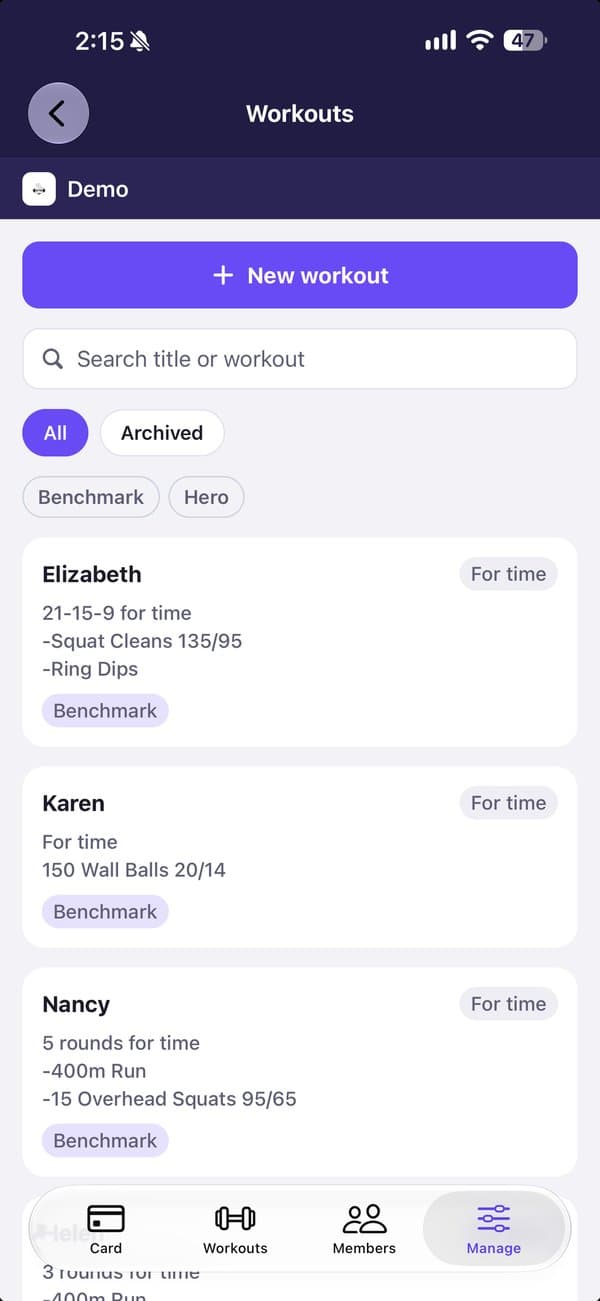
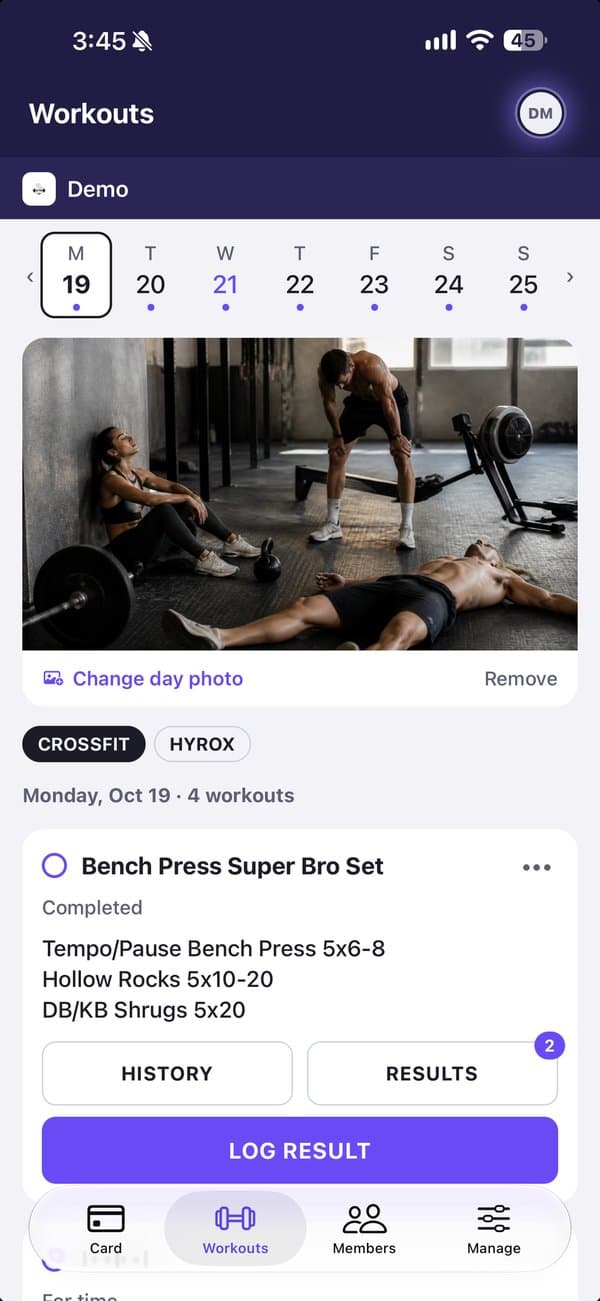
Build a workout library with tags, then post to each track's week. Members see each day the evening before, or right away.
Results and community
Members log their scores and cheer each other on with reactions and comments. No rankings, so everyone feels welcome.
Staff and locations
Run several gyms under one organization. Coaches and front desk get access to the gyms they work at; owners keep plans, payments and settings.
Peace of mind
Members can report or hide others; you review reports in one place. An activity log shows who changed what.
Getting started
- 1Set up your gymYour name, your gym and its time zone. We review new gyms within a day.
- 2Add plans and workoutsCreate your plans, connect Stripe if you take cards, and start your workout library.
- 3Invite your coachesAdd staff by email and choose the gyms they work at.
- 4Add your membersEach gets a welcome email, signs in with a code and finishes their own setup.
Pricing
Gimens is in beta. Small gyms use it free while we build it with them.
Up to 10 members
BetaFor gyms with up to 10 active members. Owners, staff and coaches don't count.
- Every feature: memberships, programming, results, staff
- The member app on iPhone, and the web
- Card payments through your own Stripe account
More than 10 members
Paid plans for bigger gyms are on the way. Running one now? Talk to us about joining the beta.
Talk to usCard payments are charged by Stripe at its own rates, into your Stripe account.
Questions
What counts as a member?
Someone with an active membership at your gym. Owners, staff, coaches and people whose membership has ended don't count.
What happens when I pass 10 members?
We'll get in touch before anything changes. Paid plans are coming soon, and gyms in the beta will hear first.
Who holds the money members pay?
You do. Members pay into your own Stripe account; refunds and disputes are handled in your Stripe Dashboard.
Can members pay at the front desk instead?
Yes. Members can choose to pay outside Gimens, and memberships you don't bill by card work the same way.
Can I bring my existing members?
Yes. Add them by email with their plan; they sign in and finish their own details.
Bring your gym to Gimens.
Free during the beta for gyms with up to 10 active members. Set up in a few minutes; we review new gyms within a day.